> For the complete documentation index, see [llms.txt](https://chatboz.gitbook.io/chatboz-docs/llms.txt). Markdown versions of documentation pages are available by appending `.md` to page URLs; this page is available as [Markdown](https://chatboz.gitbook.io/chatboz-docs/plugin/data-synchronization.md).
# Data Synchronization
You can synchronize your WordPress content with your Chatboz dashboard for smarter AI responses.
Follow these steps:\
\
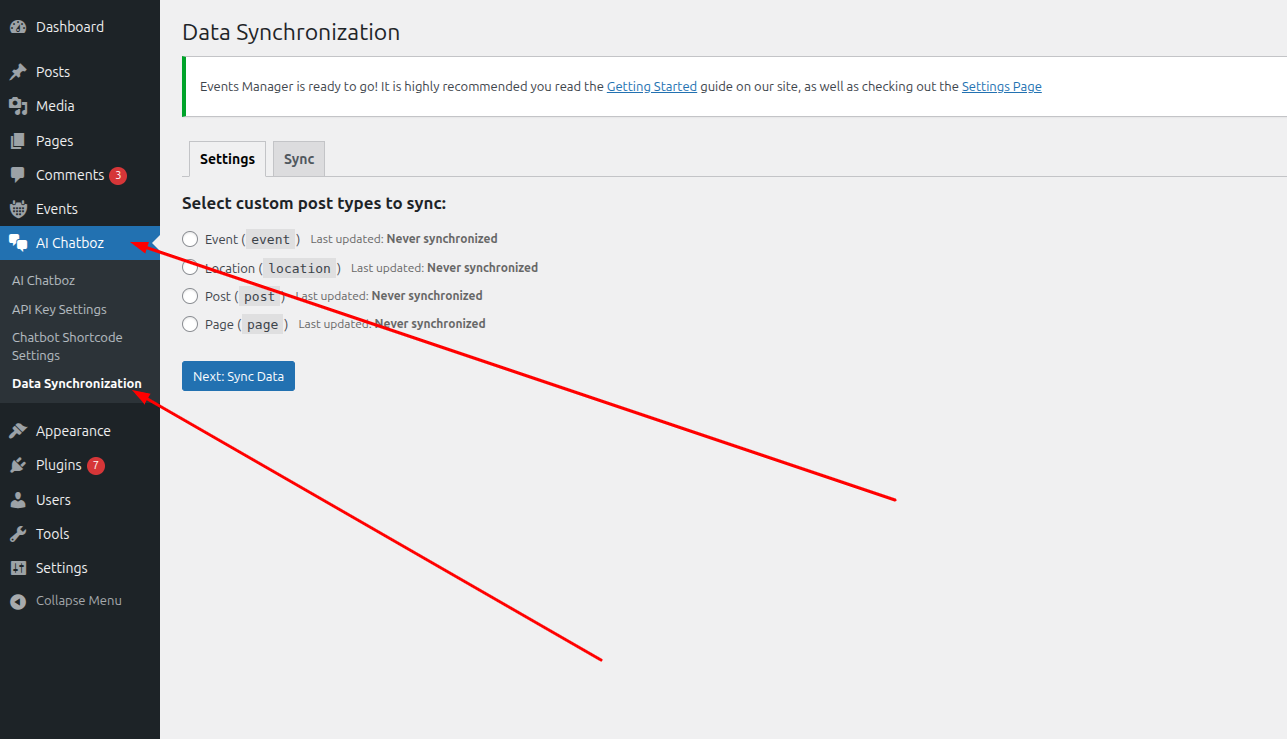
1\. In your WordPress Dashboard, go to “AI Chatboz” → “Data Synchronization”.
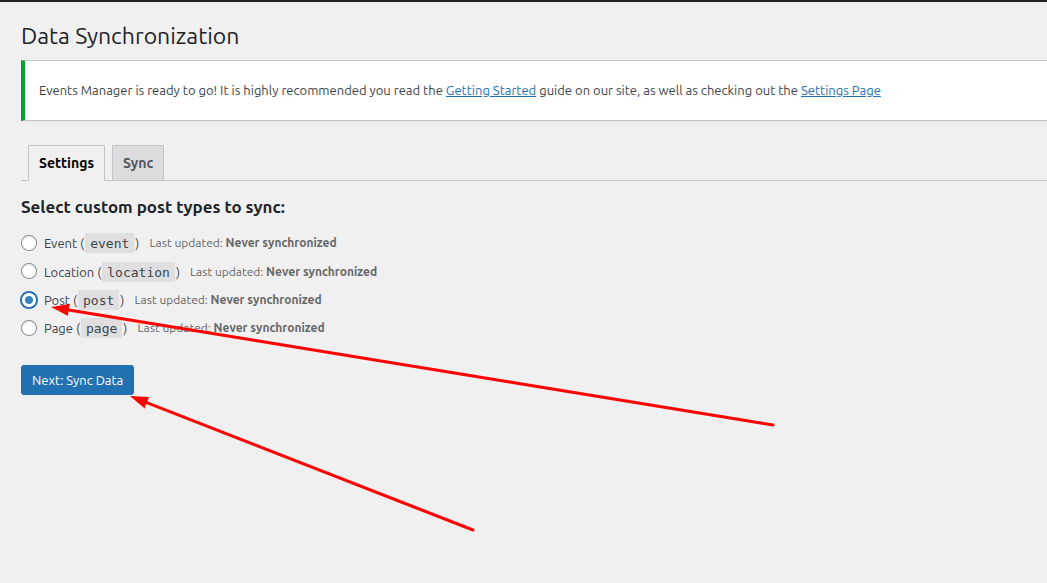
2\. Under “Select custom post types to sync”, choose the post type(s) you want to include and click “Next”.
\
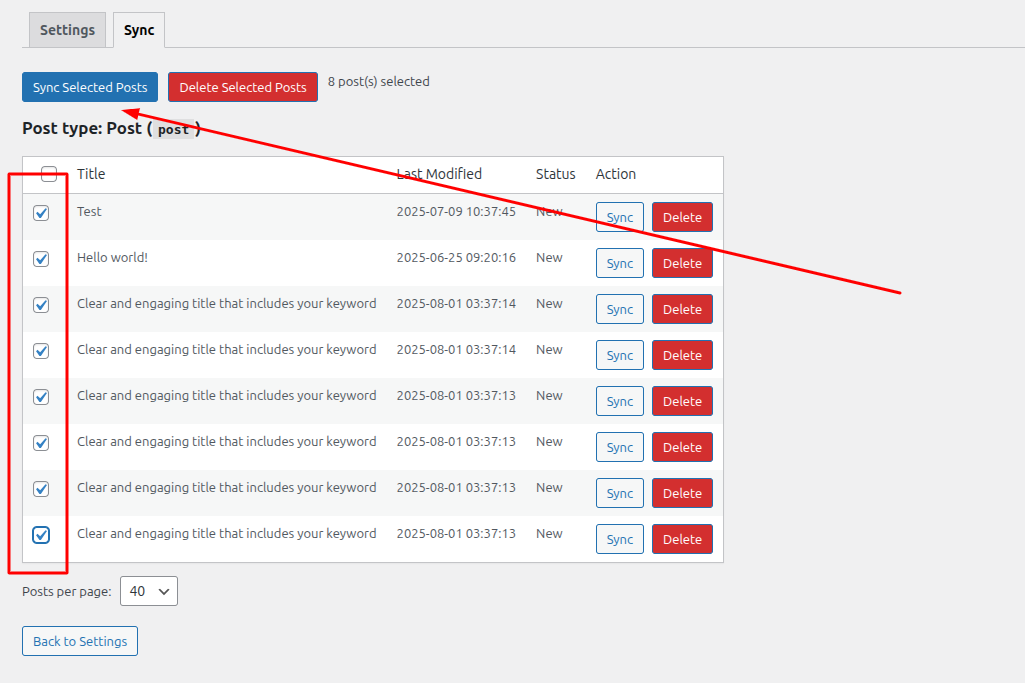
3\. Select specific posts or pages you want to sync, then click “Sync Selected Posts”.
\
4\. Once synchronization is complete, the data is now available in your Chatboz system — try chatting via the widget to test it!\
### 5. 🔧 Troubleshooting
Issue 1: Chatbot Not Displaying
\
Possible causes:\
\- API Key not configured or invalid.\
\- Shortcode missing or incorrect.\
\- Theme or plugin conflict.\
Solutions:\
\- Check API Key in AI Chatboz → API Key Settings.\
\- Ensure shortcode \[physcode-chat-bot] is added correctly.\
\- Check browser console (F12) for JavaScript errors.\
\- Temporarily disable other plugins to detect conflicts.\
Issue 2: Widget Not Appearing
\
Check the following:\
\- “Enable Chat Widget” is turned on.\
\- API Key is configured.\
\- Note: The widget does not appear in Admin Dashboard.\
Issue 3: API Connection Error
\
\- Verify your server has an active internet connection.\
\- Ensure no firewall blocks requests to api.chatboz.com.\
\- Enable debug log and check /wp-content/chatbot-debug.log.\
Issue 4: UI or Styling Issues
\
\- Clear browser cache (Ctrl + F5).\
\- Clear plugin cache (if using cache plugins).\
\- Check Custom CSS syntax for errors.\
\- Disable custom CSS temporarily to isolate the issue.